By Richard Herrmann — originally published in COMPUTE!’s Gazette Issue 2, August 1983
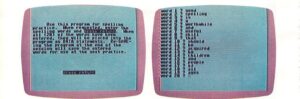
“Wordspell” is an educational program for spelling practice designed for the unexpanded VIC-20, and translated for the Commodore 64.
“Wordspell” makes good use of what is called the “dynamic keyboard’ technique, this allows a program to modify itself as it is running. In Wordspell, the practice spelling words you enter become part of the program. At the beginning of the program, you are prompted to enter 20 words.
After the words are entered, the dynamic keyboard routine merges them into the program as line-numbered DATA statements. This permits you to SAVE the program with the words included so they will not have to be reentered for the next practice session. Once the spelling list is entered, if is presented one word at a lime. The words are quickly spelled letter by letter and then disappear. You then type in the word, and you are told it it is correct — or you’re shown the correct spelling it it is wrong. At the end of the program, score is displayed, as well as list of the misspelled words. The user now has the option of quitting the program, running the same words or entering new words.
Notes On The Program
REM statements point out major routines.
DATA statements are created as lines 1, 5, 9, 13, and 17.
Main variables:
A$() -DATA array
B$() – Create word list array
W$() – Misspelled words array
A$ – INPUT of user spelling
With little work, the program could be modified to accept more or fewer than 20 words.
Color and sound responses (lines 81 and 82, VIC version) could be altered to suit personal taste.
Timing loops (lines 37 and 46, VIC version) for viewing letters and responses may be easily altered to adapt Wordspell to different age groups. My nine-year-old son finds the default values suitable.
The VIC version of this program also works on Upgrade ROM Commodore PET computers if you change POKES 198 and 631 (lines 57 and 58) to 158 and 623, respectively, and adjust the PRINT statements for the proper appearance on the PET 40-column screen.
See program listings on page 114.